Script: An AI-Native Design System Architecture
Building multi-app UI constraint layers for human engineers and automated AI coding agents.
- Role
- Design Systems Architect & Technical Lead
- Timeline
- Feb – May 2026
- Stack
- Tailwind v4, Tokens, Markdown, Multi-App Architecture
## images
- 3
- Apps Governed
- ∞
- White-Label Implementations
- 0
- Hardcoded Hex Values
The Situation
The product was being built at extreme velocity, and the engineering team heavily relied on automated AI coding agents to scale the interface. However, without a centralized constraint layer, the provider-facing clinical codebase rapidly accumulated technical debt—inconsistent layout patterns, hardcoded spacing, and arbitrary color decisions made in the moment.
To gain control over the interface architecture, the core requirement was clear: design a design system documented so unambiguously that a human engineer and an AI agent could read the exact same file and reach the identical UI implementation output. Vagueness in an AI-driven workflow is financially expensive; every ambiguous rule results in broken layouts and interface drift.
System Architecture
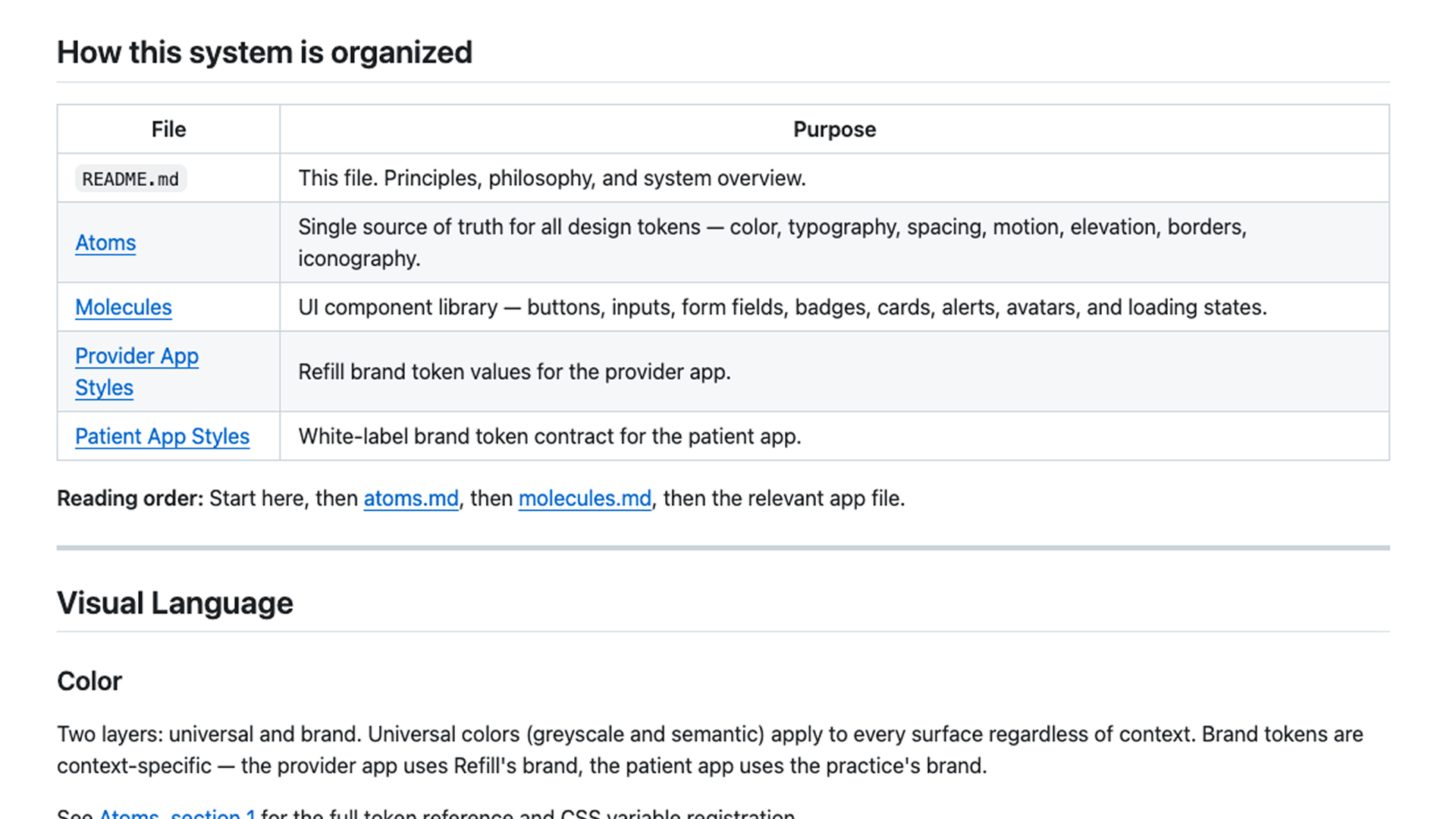
Script was engineered as a multi-app, markdown-based design system structured in modular, machine-readable layers:
- Atoms (
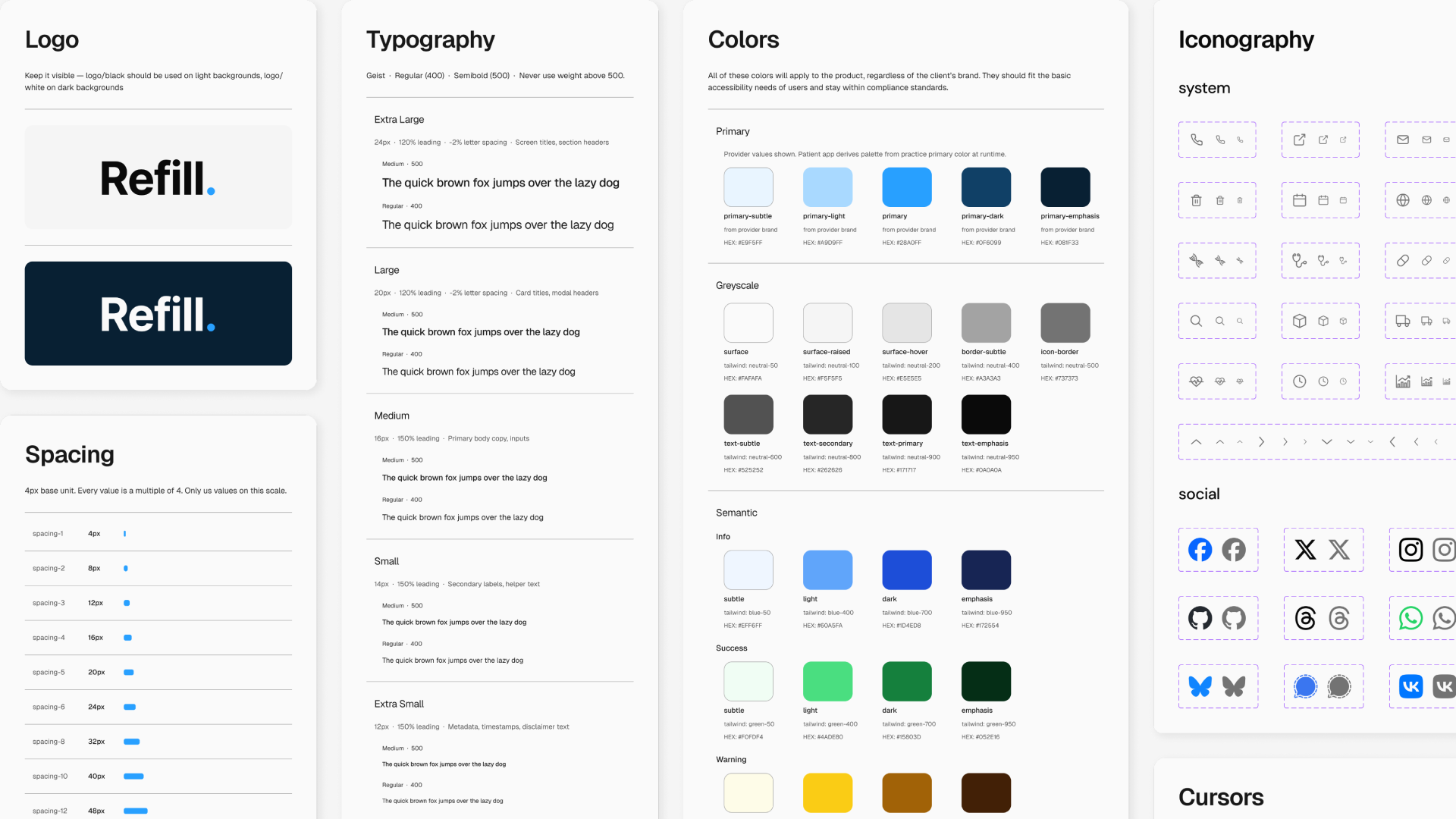
atoms.md): The foundational single source of truth defining every color token, typographic utility, spacing scale, motion curve, elevation level, and accessibility rule flatly. - Molecules (
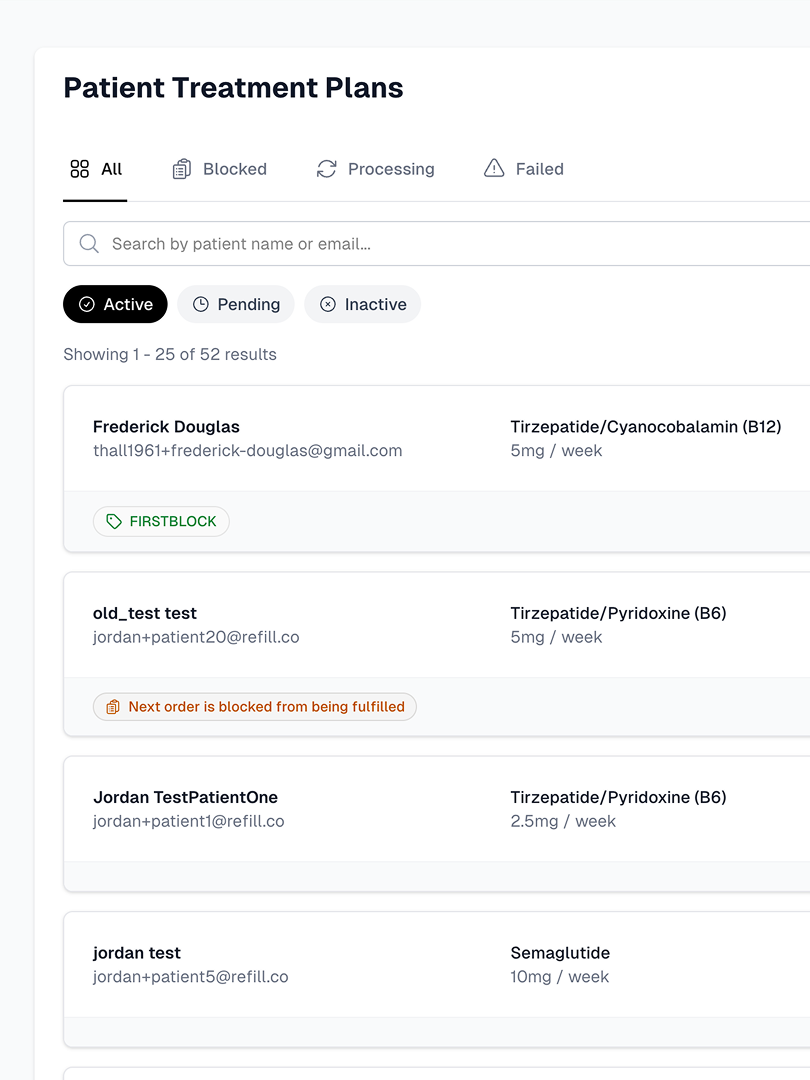
molecules.md): System documentation outlining exactly how foundational atoms combine into reusable, compliant interface patterns.
Multi-App Inheritance & White-Labeling
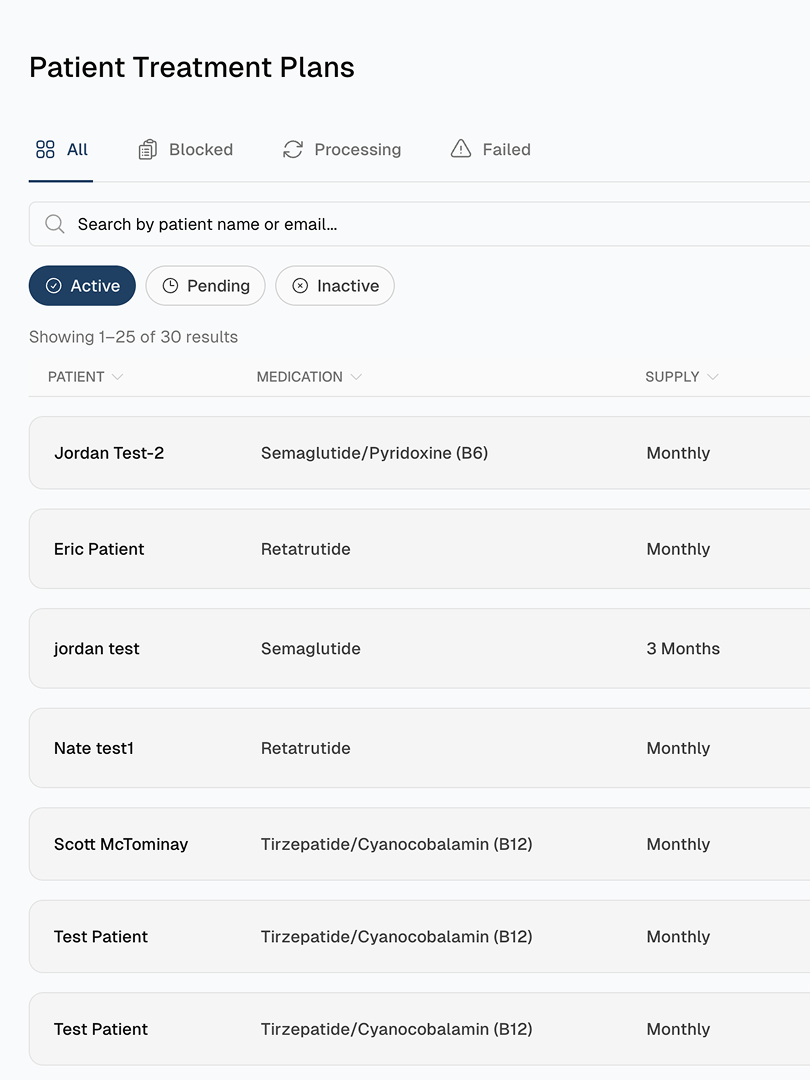
The system governs a provider-facing clinical app, a patient-facing portal, and partner-branded white-label web applications. Script resolves this multi-tenant challenge through a decoupled brand token layer: global foundations remain immutable, while app-specific configurations define how individual surfaces inherit and override them. A new clinical partner practice can be fully skinned via tokens without modifying the underlying layout logic.
/* Example: Tailwind v4 Token Mapping Integration */
@theme {
  --color-brand-primary: var(--script-provider-primary);
  --spacing-fluid-md: var(--script-scale-step-3);
  --radius-interface-sm: var(--script-corner-radius-flat);
}
Edit the sandbox below — it compiles Tailwind v4 live in the browser.
Routing the AI Agent
The entry point of the entire architecture is a structured readme.md that functions as a context injector for LLM workflows. Before an AI agent initiates an audit or generates new UI components, it is routed strictly to the relevant system context:
- Context Alignment: The agent ingests global design tokens (
atoms.md) to establish baseline spacing and color limits. - Interface Targeting: If generating provider UI, it is dynamically routed to
provider/brand.mdandprovider/components.md, bypassing patient-facing logic entirely to conserve context window efficiency. - Utility Mapping: Every token maps directly to a Tailwind v4 utility class, removing syntax ambiguity between documentation layers and production code.
Key Outcomes
- Zero Interface Drift: Eliminated custom, hardcoded hex variables and irregular padding scales entirely across the repository.
- Automated Guardrails: Successfully integrated into the dev team's active agent workflow, operating as a hard logical constraint layer before lines of code are written.
- Universal Legibility: Created a unified specification system equally legible to product managers, designers, developers, and LLM development environments.
[ View System Tokens ]
:root {
  --background: #fafafa;
  --foreground: #232221;
  --muted: #706d68;
  --rule: #e3e0db;
  --surface: #f2f2f2;
}

[data-theme="dark"] {
  --background: #191919;
  --foreground: #e4e4e2;
  --muted: #979693;
  --rule: #2f2f2f;
  --surface: #121212;
}

@theme inline {
  --color-background: var(--background);
  --color-foreground: var(--foreground);
  --color-muted: var(--muted);
  --color-rule: var(--rule);
  --color-surface: var(--surface);
  --font-sans: var(--font-inter), ui-sans-serif, system-ui, -apple-system, "Segoe UI", sans-serif;
  --font-mono: ui-monospace, SFMono-Regular, Menlo, monospace;
}